A writing desk that reads along.
Write your novel, screenplay, stage play, poem or song. Tabs reads it as you go and keeps your people, places and loose ends in order — so you can keep writing instead of keeping notes.
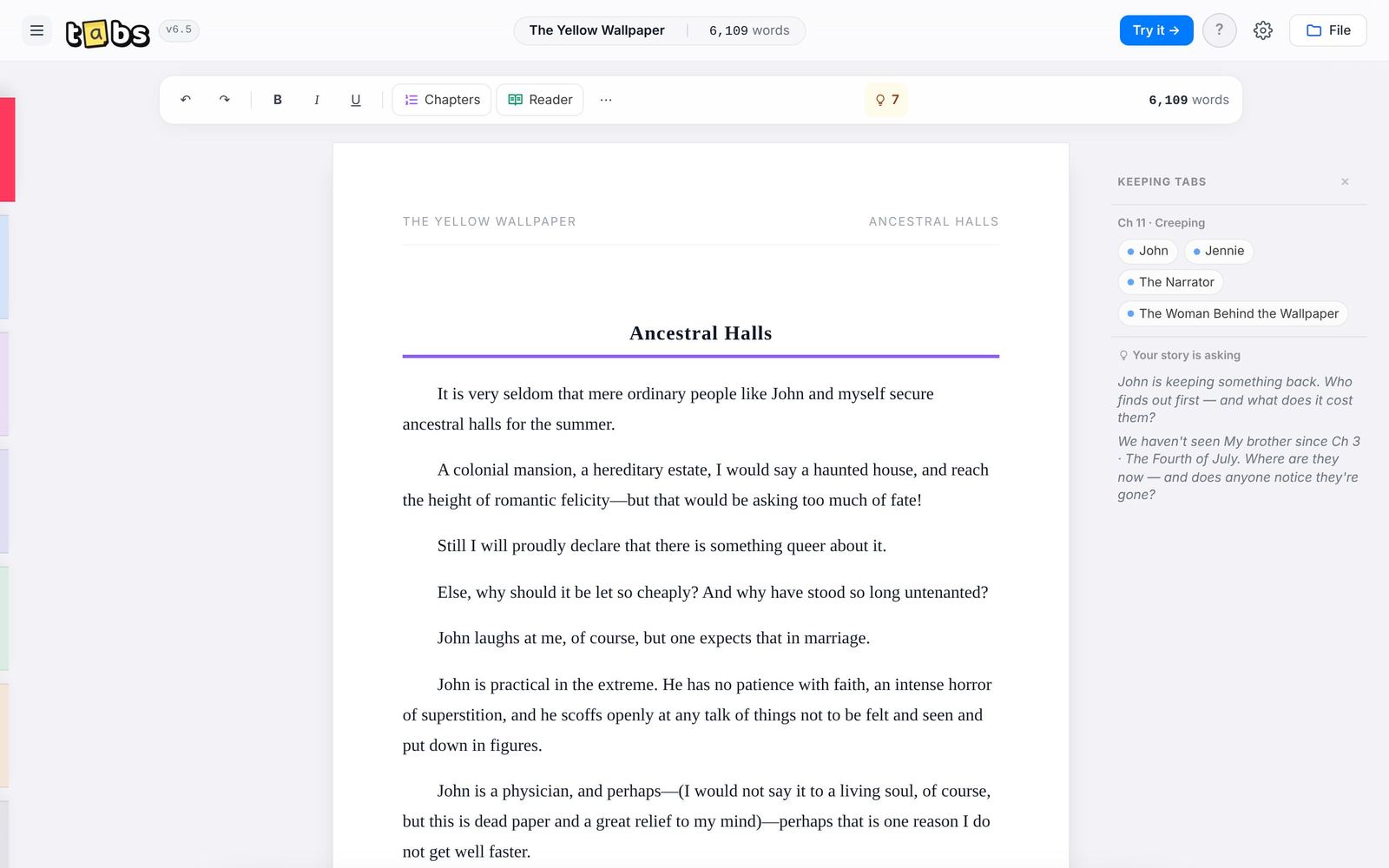
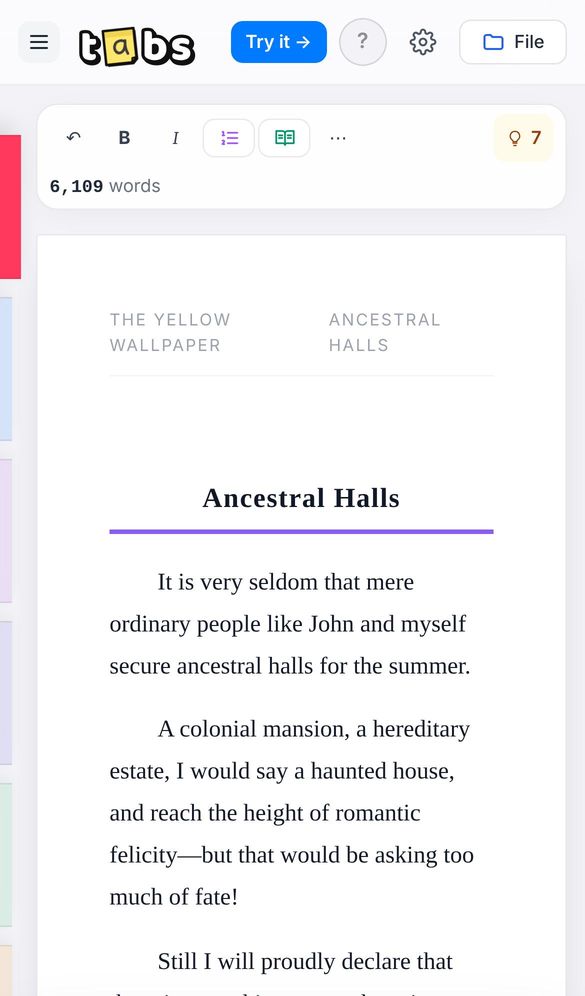
One desk, five kinds of writing.
Pick what you're making and Tabs changes to fit it — its tools, its page and its tabs.
You write. It keeps tabs.
Tabs reads your pages on your own device. It notices who's in each scene, where they are and what's still unresolved. You decide what to keep.
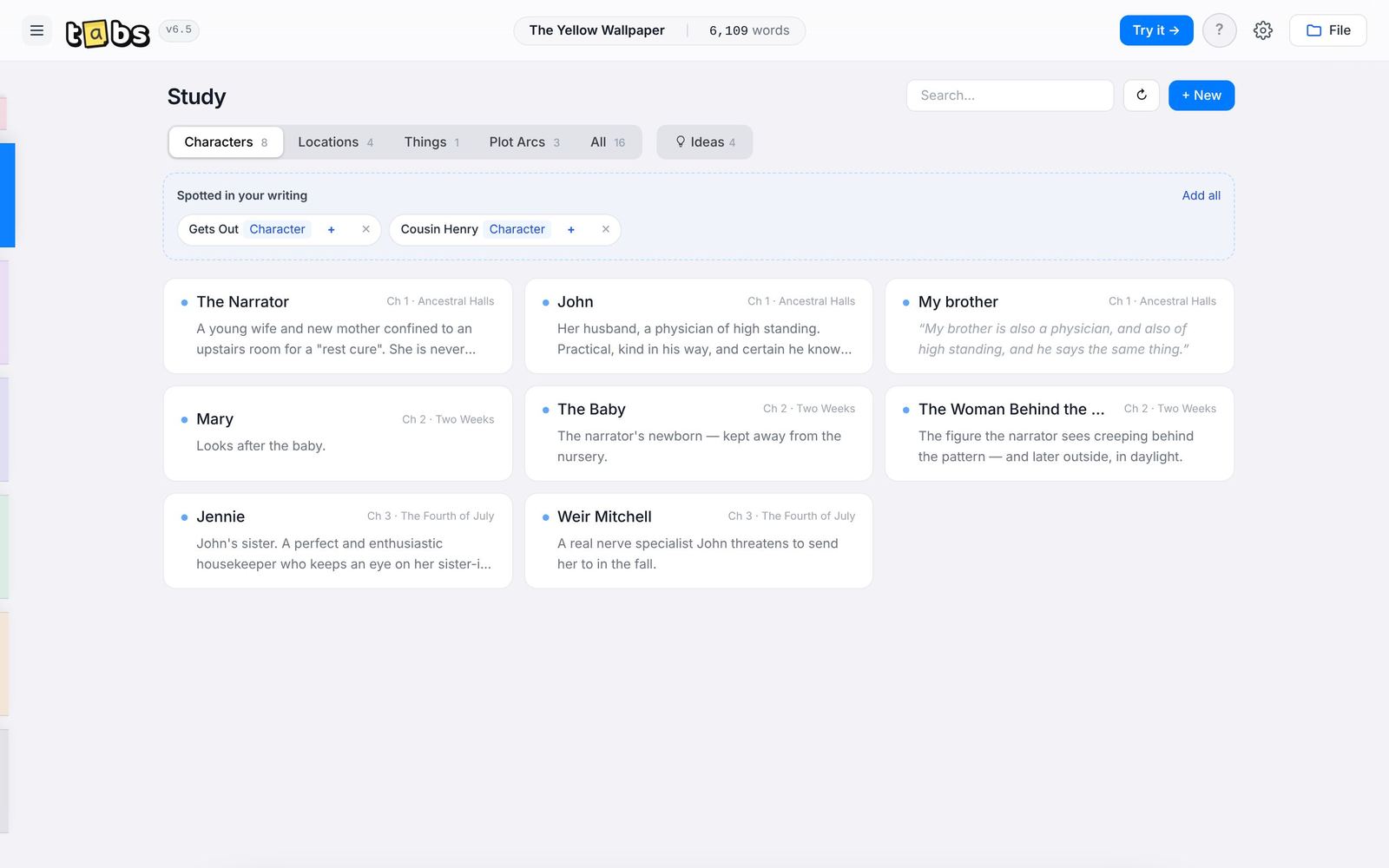
Your cast fills itself in.
Names, places and objects show up under "Spotted in your writing". Add them with a tap and Tabs remembers the chapter each one first appeared in.
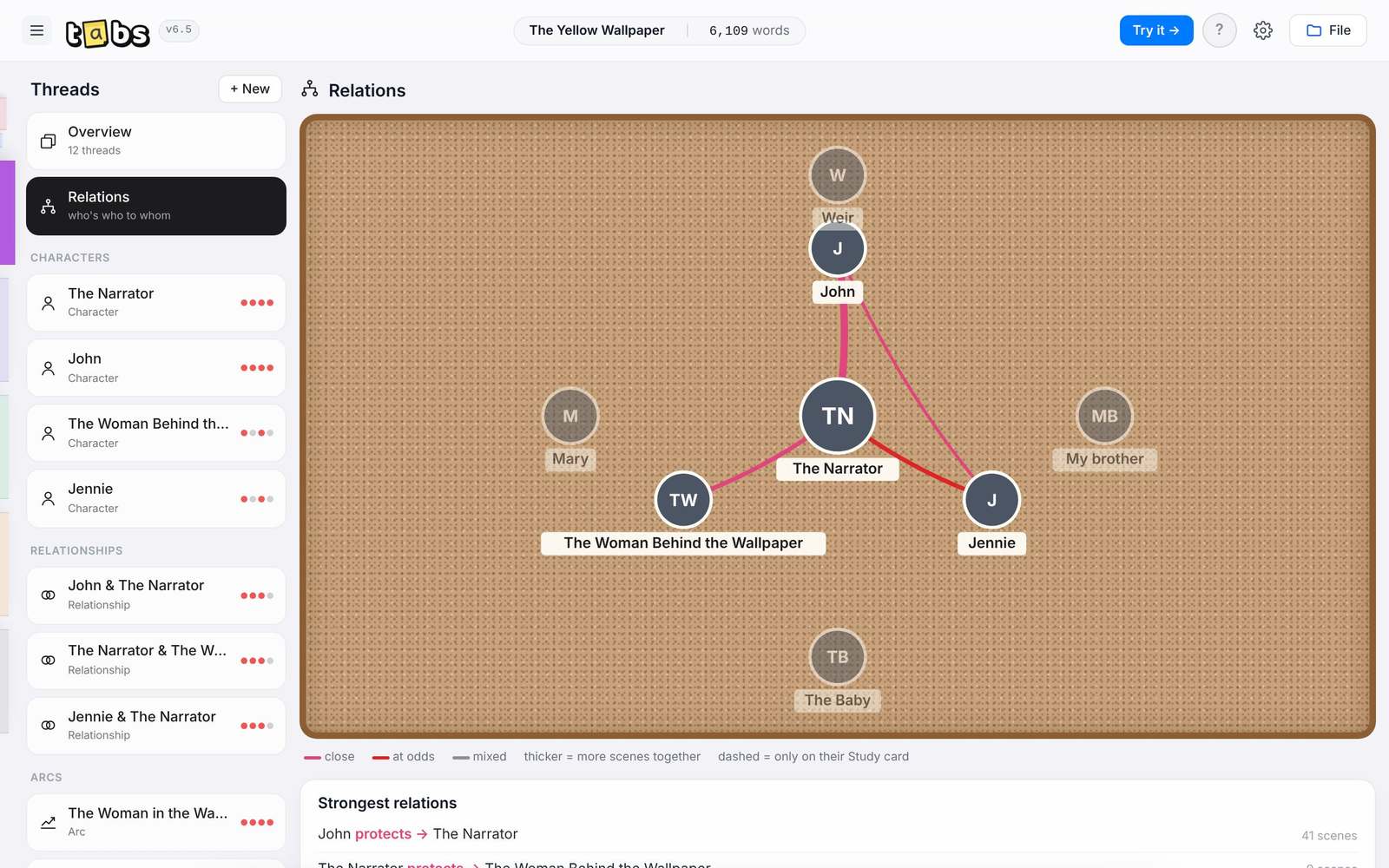
See who's who to whom.
A corkboard of your characters, drawn from the scenes they share. Close, at odds or mixed, and how often they meet.
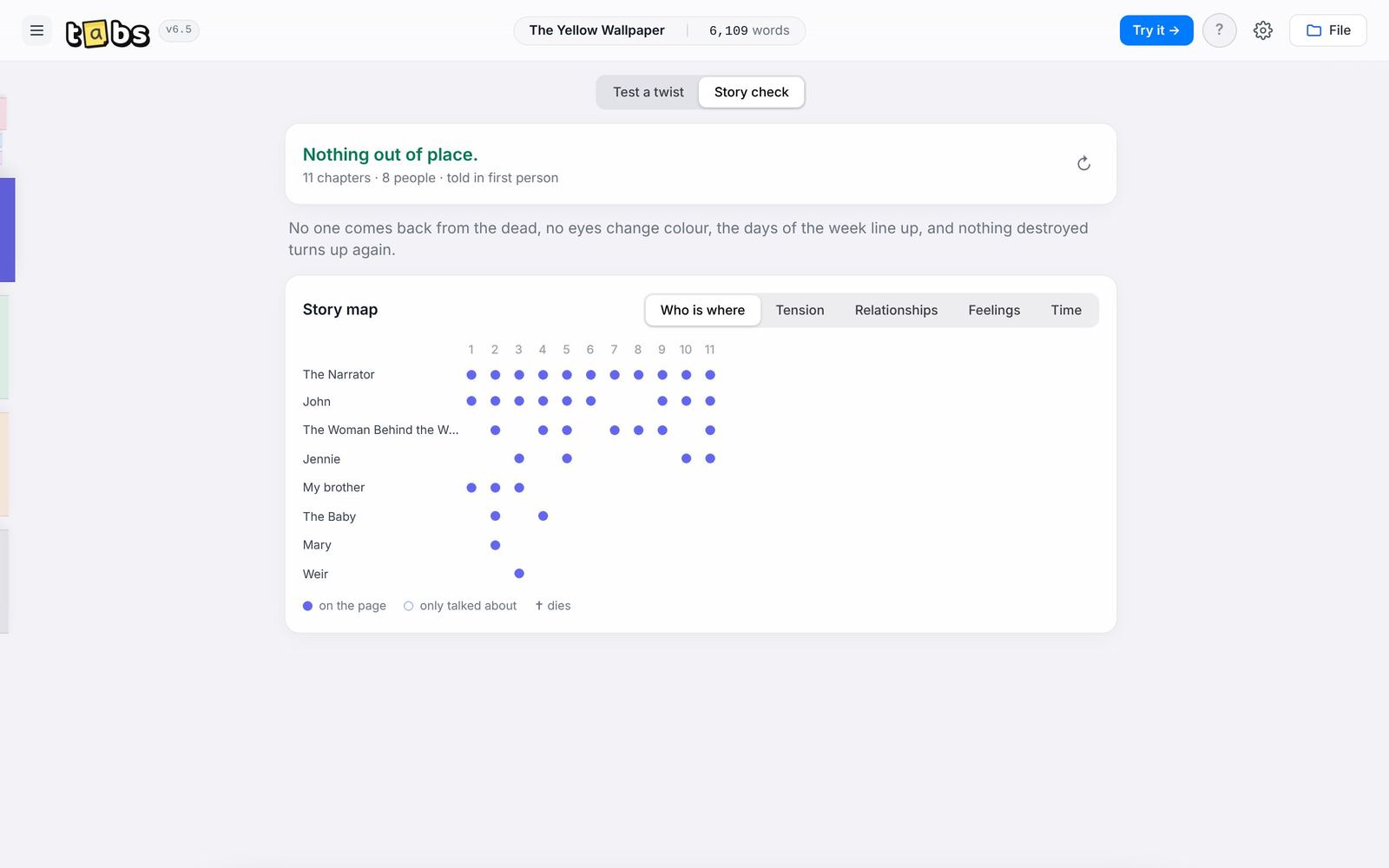
It catches the slips.
Someone who died in chapter four walking in on chapter nine. Eyes that change colour. A Tuesday that follows a Thursday. Tabs points them out, and the story map shows who is where, chapter by chapter.
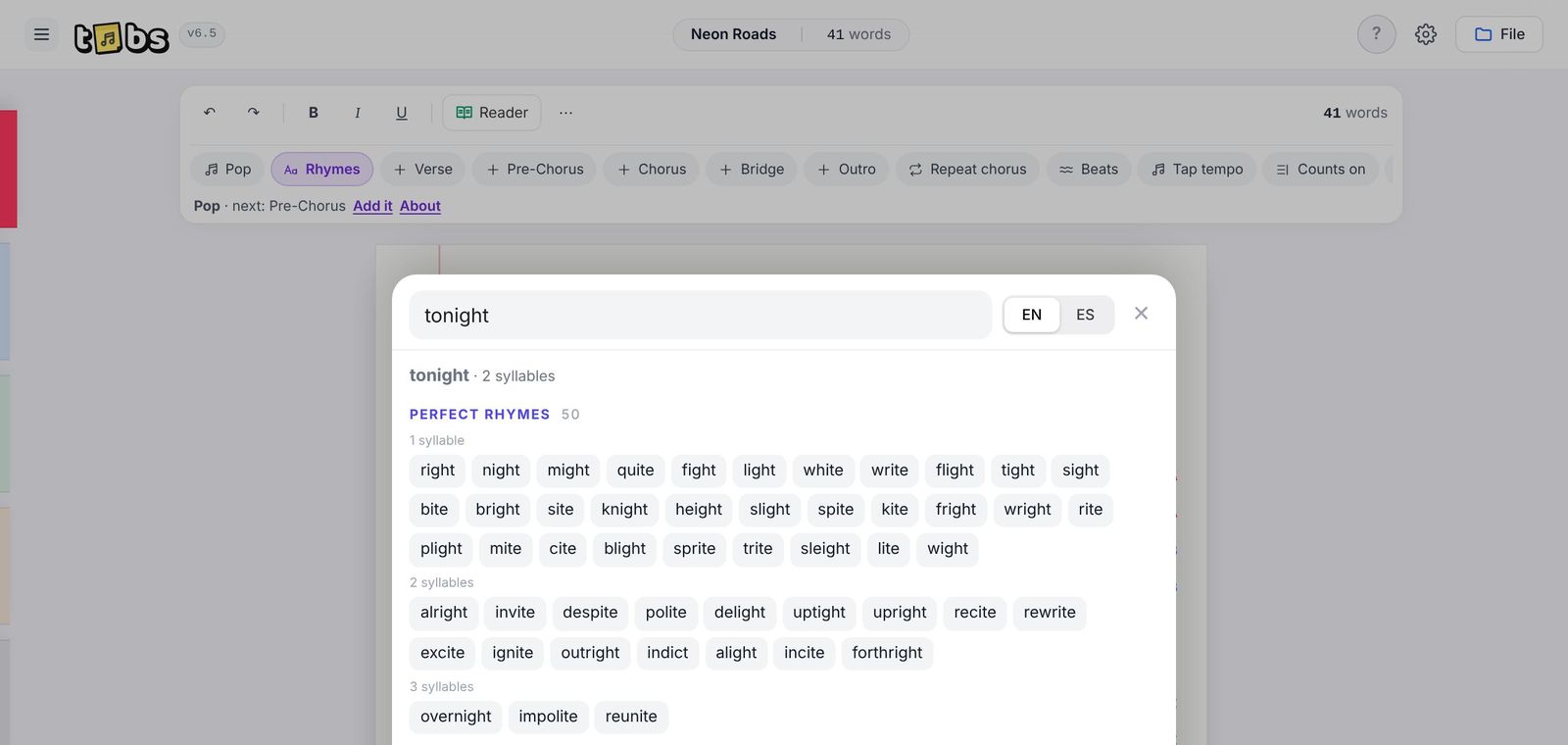
For poems and songs, an ear on the page.
Syllables and rhyme scheme beside every line. A rhyme finder in English and Spanish that works offline. Pick a form or a genre — haiku, sonnet, pop, ballad — and Tabs explains it and shows you where you are.
Use it in the browser, or install it.
Installing puts Tabs on your home screen or dock like any other app. It opens without the internet, and it's the same free Tabs.
- Open mytabs.cc/app in Safari.
- Tap Share. On newer iPhones, tap ⋯ first, then Share.
- Choose Add to Home Screen, then Add.
Open Tabs from the home screen icon from then on. iPhone keeps an app's writing safe there; in an ordinary Safari tab it can clear it after a few weeks without a visit.
Open Tabs- Open mytabs.cc/app in Chrome.
- Tap the menu ⋮ in the top corner.
- Choose Install app (or Add to Home screen).
- Open mytabs.cc/app in Chrome or Edge.
- Click the install icon at the right of the address bar, then Install.
- On a Mac with Safari, use File › Add to Dock instead.
Tabs also has an Install button in its own Settings, when your browser allows it.
Open TabsWhat's new
Fixes and new things in each version of Tabs.
Questions
Where is my writing saved?
In your browser's own storage, on the device you're using. Nobody else — including whoever makes or hosts Tabs — can see it.
Can I use Tabs on my phone and my computer?
Yes. Because nothing is sent to a server, each device keeps its own copy. To move your work, use File › Back up everything on one device and open that backup on the other.
Does Tabs use AI?
No. Everything Tabs notices — names, places, rhymes, slips — comes from rules and word lists that run on your device. It never writes for you.
What happens if I clear my browser data?
Your projects are removed with it. Keep a backup file of anything that matters to you; Tabs will remind you now and then.
Is it really free?
Yes. No trial, no paid plan and no ads.
Can I bring in something I've already written?
Yes. Open a text, Word or PDF file from the File menu, or paste it in. Tabs reads it and fills in the Study for you.
Tabs was conceived, designed and directed by Jared Castillo, a writer. He decided what Tabs does and how it looks — the five kinds of writing and the tabs each one gets, the Study, Threads, Scratch and the Inkjector, the sticky-note logo, the rules of no AI and no scores — and shaped every change by testing it on his own writing in English and Spanish. The code was written with the help of an AI assistant (Claude, by Anthropic), following his direction. Tabs itself has no AI inside: it never writes for you, and nothing you type is sent anywhere.
Tabs is free. If it helps your writing, a tip keeps it going.
The official Tabs is only at mytabs.cc. If you find a copy somewhere else, it isn't from us and we can't vouch for it.